Connecting to Simmons' Cloud Printers for MacOS Devices
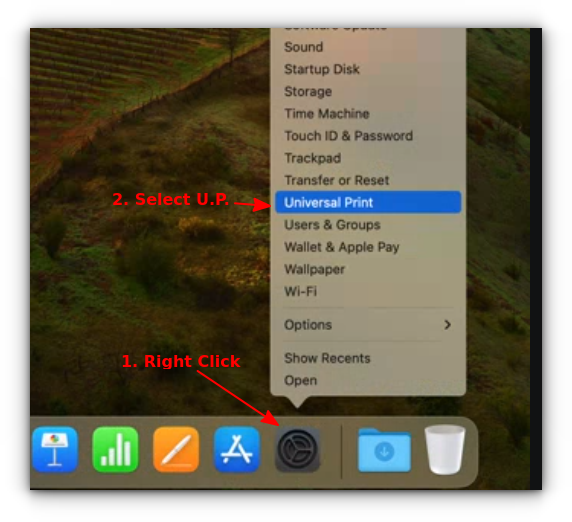
1. Right-Click the "Settings" icon on your taskbar, then select "Universal Print".
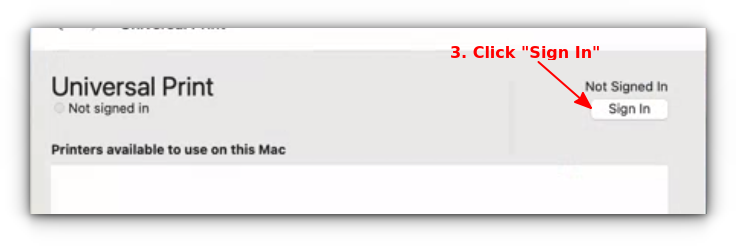
2. Click the "Sign In" button on the right, and sign in with your Simmons email.
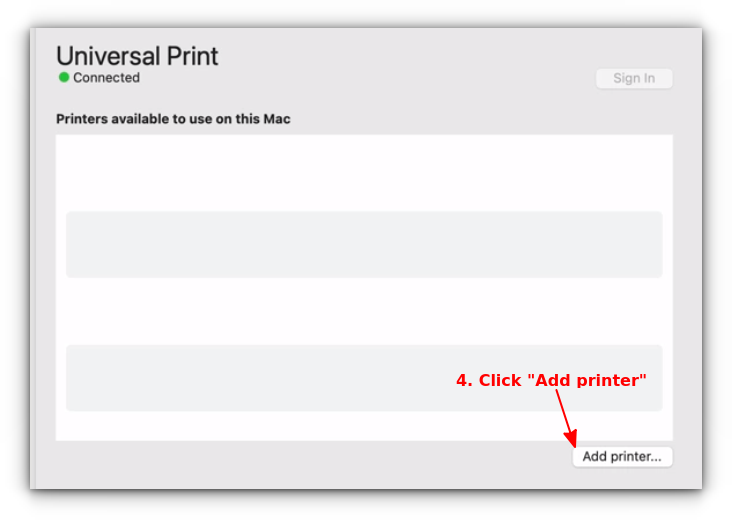
3. Click the "Add Printer ..." button at the bottom right.
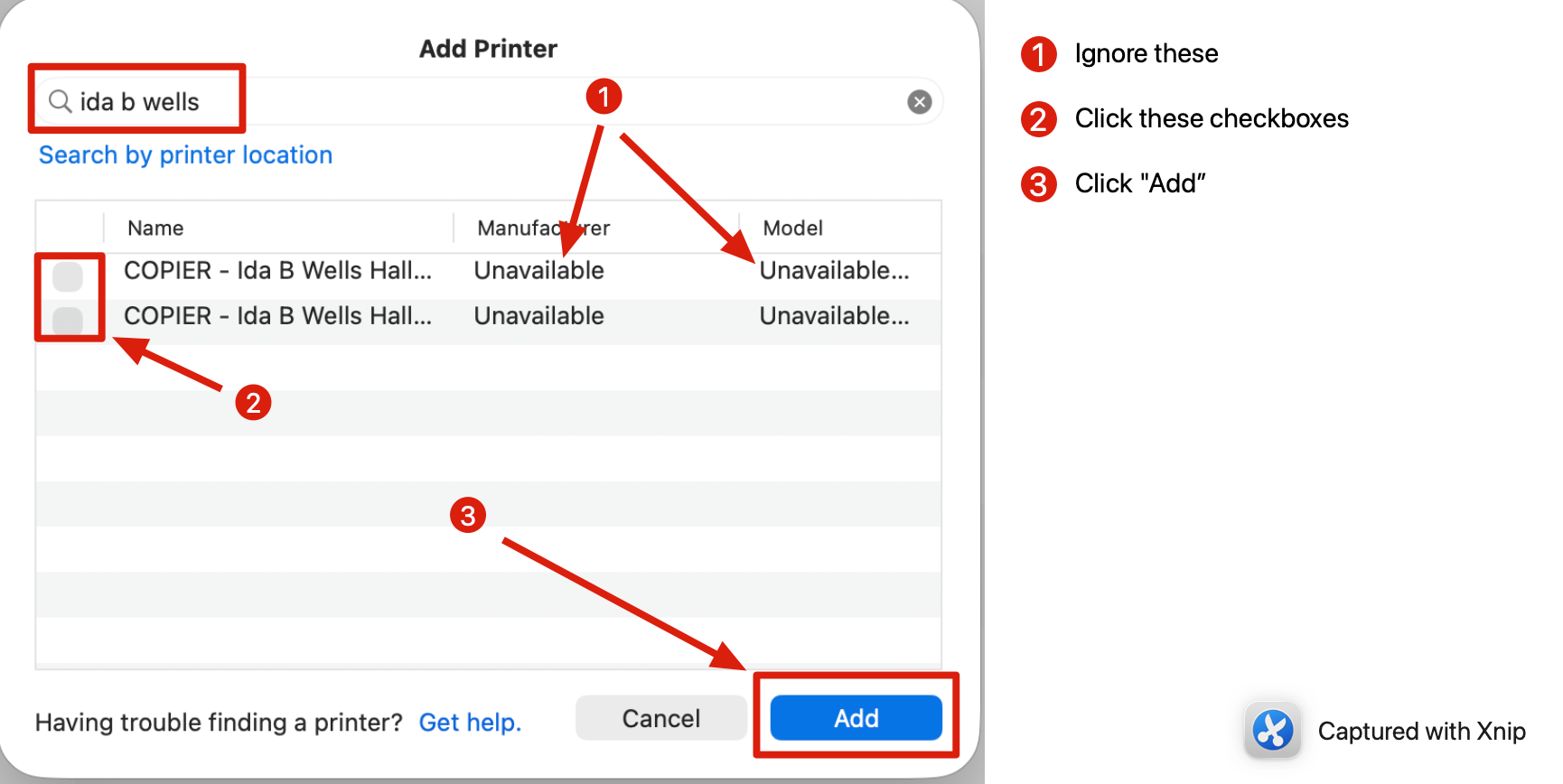
4. In the search field, type a partial name such as building: ( below example: ida b wells).
Was this article helpful?
That’s Great!
Thank you for your feedback
Sorry! We couldn't be helpful
Thank you for your feedback
Feedback sent
We appreciate your effort and will try to fix the article